
Mokka Readme
This wiki article provides insight into various specificities or questions about the Mokka Theme, not referenced in the Release Article.
Better Blur Desktop Effect (also called ForceBlur) (legacy)
Section titled “Better Blur Desktop Effect (also called ForceBlur) (legacy)”The notes below only apply to systems that still have ForceBlur installed. It provided blur on windows, docks and menus, with an include/exclude list of Window Classes. The source is here, and it could be resource-intensive, especially if you have many windows open.
Cursor latency on Wayland
Section titled “Cursor latency on Wayland”On Wayland, high GPU load may result in higher cursor latency or even stuttering. If that bothers you, set the environment variable KWIN_DRM_NO_AMS=1.
If that’s not enough, try enabling or disabling the software cursor by also setting KWIN_FORCE_SW_CURSOR=0 or KWIN_FORCE_SW_CURSOR=1.
Intel GPUs use software cursor by default due to this bug, however it doesn’t seem to affect all GPUs.
Triangled corner shadows
Section titled “Triangled corner shadows”Also in some situations with some types of installs (hardware, software, configs, etc.), you may find yourself having the old KDE bug that displays a triangled shadow around the corners of the Window Decorations.
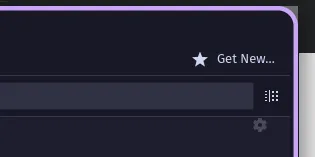
It is possible, but not guaranteed, setting the Anti-aliasing, located in the Rounded-Corners tab, to 1.00 might fix it. It should come set to 1.00 by default, but playing with this value (from 0.00 to quite higher) might help.
NEW PANEL-COLORIZER FEATURE
Section titled “NEW PANEL-COLORIZER FEATURE”The new Panel-Colorizer applet allows including full transparency to both the Top Panel and Bottom Dock. It can do a LOT more, you can customize many UI elements of your Plasma panels/docks. If you want to use a different preset, do the following:
-
Right-click the Kickoff menu logo or System Tray chevron and select
Configure Panel-Colorizer... -
In the Presets section you can select something different.