
Choosing the right mirror for Chaotic-AUR
Historically the download speeds of Chaotic-AUR (our repository) were pretty bad for a lot of people. This had a simple cause: Many people won’t ever change the default order of Chaotic’s mirrorlist since garuda-update only refreshes the Arch mirrorlist, using rate-mirrors (with the Reflector command line tool as fallback), which resulted in everyone downloading from the same server.
The updated mirrorlist includes the automatic geo-mirror as well as a CDN one, which both help distributing the load. If you are still experiencing speed problems or want to make sure you are downloading from the closest mirror manually selecting it is still a good idea. So let’s find out how to get better speeds by using another mirror! 😊
The easiest way is Garuda Toolbox: open Maintenance and select Refresh Chaotic-AUR mirrorlist. It ranks the mirrors with rate-mirrors. To select a mirror manually instead, follow these steps:
-
We are going to open the mirrorlist using micro (our default text editor) - superuser needed:
Terminal window sudo micro /etc/pacman.d/chaotic-mirrorlist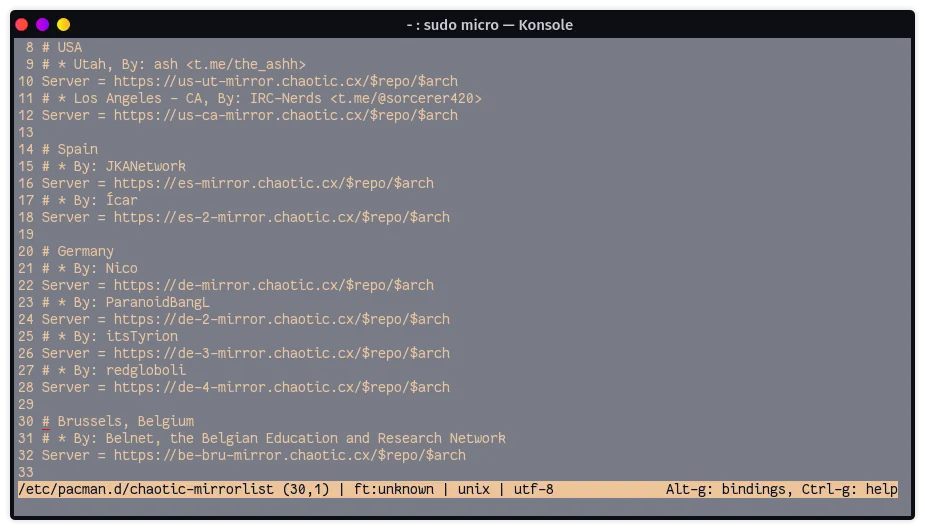
-
Then comment out all mirrors in front of the one you want to use - your best bet is to take one geographically closest to you. Then finish by refreshing the database using the new mirror & updating afterwards.
Terminal window garuda-update
There is also an Asciicast which shows the process.