
NVIDIA Drivers on Garuda Sway
The Sway project does not support the proprietary NVIDIA driver. Sway refuses to start with it unless it is launched with the --unsupported-gpu flag. Garuda Sway handles this for you, so the proprietary driver works without manual configuration.
What Garuda Sway does for you
Section titled “What Garuda Sway does for you”| Part | What it does |
|---|---|
| Live ISO | Sway ISOs from 260705 onward support the proprietary driver in the live session, with the boot option “Boot allowing proprietary drivers”. |
| Hardware profile | The NVIDIA hardware profile installs the driver, enables nvidia-drm modesetting and fbdev, and loads nvidia-drm at boot. |
| Greeter | The login screen is nwg-hello on greetd. greetd starts the greeter’s Sway with --unsupported-gpu. |
| Session | nwg-hello sets SWAY_UNSUPPORTED_GPU=1 for the sessions it starts. The regular Sway session works with NVIDIA, so no extra session is needed. |
You do not need to add nvidia_drm.modeset=1 or nvidia_drm.fbdev=1 as kernel parameters. You also do not need a force_drivers line in a dracut config.
Install with the proprietary driver
Section titled “Install with the proprietary driver”-
Download a Garuda Sway ISO from
260705or newer. -
Boot it and pick “Boot allowing proprietary drivers”. The live session installs the driver while it boots, so reaching the desktop can take a few minutes.
-
Install Garuda as usual and reboot.
-
Log in with the regular Sway session.
Install the driver on an installed system
Section titled “Install the driver on an installed system”The driver comes from the Garuda hardware profile. The Garuda Hardware Tool picks the right profile for your card. The Setup Assistant offers the same step.
-
Update the system and reboot.
Terminal window garuda-update -
Install the NVIDIA profile.
Terminal window sudo garuda-hardware-tool --nonfree -
Reboot and log in with the regular Sway session.
The tool chooses one of two profiles:
| Profile | Driver | Cards |
|---|---|---|
garuda-hardware-profile-nvidia | nvidia-open-dkms 590 or newer | Turing and newer |
garuda-hardware-profile-nvidia-580xx | nvidia-580xx-dkms | Maxwell, Pascal and Volta |
Cards older than Maxwell get no NVIDIA profile. They keep the open source Nouveau driver. See the Arch Wiki NVIDIA page for the details of each driver branch.
Check that it works
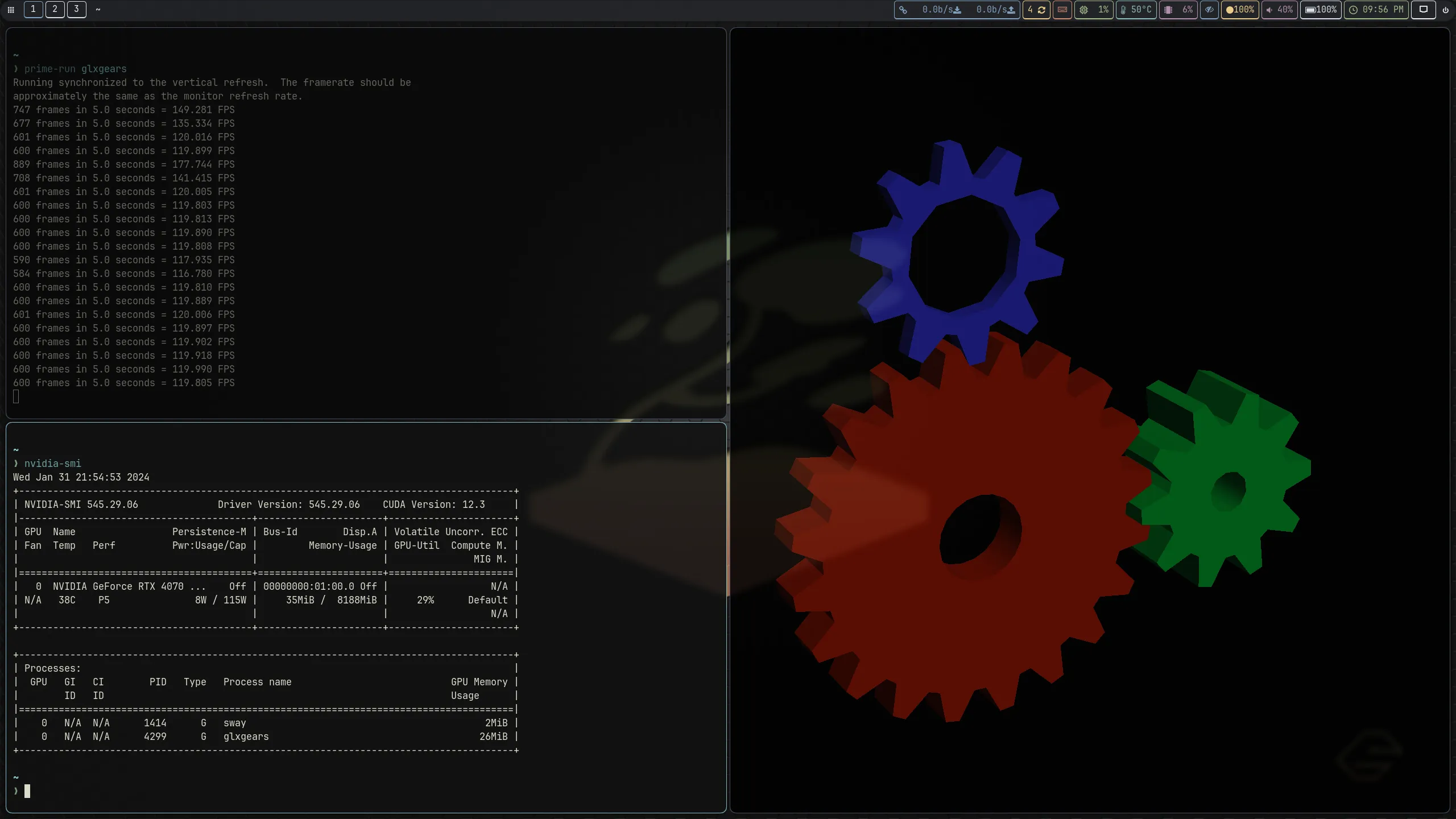
Section titled “Check that it works”nvidia-smiThe output lists your card and the driver version. garuda-health also reports when the NVIDIA driver is installed but the wrong hardware profile is active.
Manual setup for custom sessions
Section titled “Manual setup for custom sessions”This section is only for sessions that do not start through Garuda’s greeter, for example your own greetd command or a launch from a TTY. The hardware profile still sets up the driver. Only the Sway launch needs the flag.
Start Sway with the flag:
sway --unsupported-gpuFor a custom desktop file, put the flag in the Exec line. Create a new file instead of editing /usr/share/wayland-sessions/sway.desktop, which package updates overwrite.
[Desktop Entry]Name=Sway (custom)Exec=sway --unsupported-gpuType=ApplicationOptional environment variables
Section titled “Optional environment variables”The default setup needs none of these. Add them one at a time, and only for a problem they address. Set them in a wrapper script that launches Sway, as shown in the greetd wiki.
| Variable | Use it when |
|---|---|
WLR_NO_HARDWARE_CURSORS=1 | The cursor is invisible or glitches. This switches wlroots to software cursors. |
GBM_BACKEND=nvidia-drm | Apps fail to pick the NVIDIA GBM backend. |
__GLX_VENDOR_LIBRARY_NAME=nvidia | Several OpenGL implementations are installed and you want the NVIDIA one. |
LIBVA_DRIVER_NAME=nvidia | Hardware video decoding through VA-API should use the NVIDIA driver. |
WLR_RENDERER=vulkan | You want the Vulkan renderer. It can stop Sway from starting, so test it from a TTY first. |
See the Arch Wiki pages on Wayland and Xwayland for more NVIDIA notes.