
Gaming on Garuda
The gaming edition
Section titled “The gaming edition”The Dr460nized Gaming ISO is the gaming edition. It is the Dr460nized desktop plus everything below. The regular Dr460nized edition has none of these extras.
| Area | Dr460nized Gaming | Dr460nized |
|---|---|---|
| Performance tweaks | performance-tweaks (ananicy-cpp with CachyOS rules, irqbalance, preload, hdparm), enabled at install | Not installed |
| Game launchers | Steam, Heroic Games Launcher, Lutris, Bottles, Prism Launcher, Minigalaxy | Not installed |
| Gaming tools | GameMode, MangoHud, vkBasalt, Proton CachyOS SLR, Protontricks, SteamTinkerLaunch, Wine Staging, Boxtron, ReShade | Not installed |
| Controllers | antimicrox, linuxconsole, game-devices-udev | Not installed |
| Other | OBS Studio, OpenRGB, CoreCtrl, Piper, DisplayCAL | Not installed |
How it works
Section titled “How it works”If you want your Windows games to work on Garuda Linux, you should know how they work, at least on some basic level. This page was created to help you with your struggles in setting and achieving your expectations from gaming on Linux. Overall, just about anything related to gaming is already baked into the Gaming apps tab of Garuda Toolbox and here we will provide general info on how all of this works.
So first of all, not all games from Windows work on Linux. But those that work are playable thanks to these three major components:
- Wine - a compatibility layer to run Windows programs on Linux using native Linux libraries, API’s and drivers.
- Proton - fork of Wine by Valve, with some additional tools for additional compatibility. Baked in Steam on Linux.
- Vulkan - cross-platform open-source graphics API that’s able to utilize most DirectX calls present in Windows games. DirectX is a set of proprietary API’s intended for use on Microsoft Windows and Xbox, primarily. Although you can install DirectX on Wine, a “more native” alternative is to use Vulkan.
If you want to know whether or not your game works on Linux, you should visit protondb.com and winehq.org and search for your game here.
Also, there are two forks of Wine and Proton to play even more games with higher performance:
- wine-tkg - developed by tkg & other fellows from Frogging Family. You can visit their Discord server if you want to squeeze more FPS and hack your system for some extra extras 😉
- proton-ge - made by GloriousEggroll and another community of hackers on SHITTYWOK Discord server.
GUI frontends for Wine / Proton
Section titled “GUI frontends for Wine / Proton”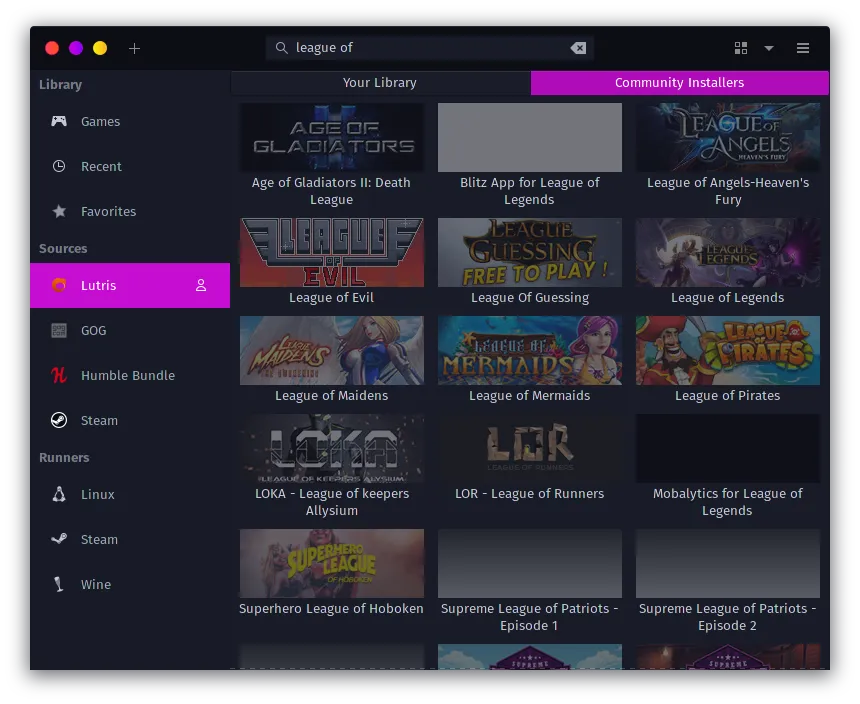
As Wine and Proton contain only a very limited GUI, there are a number of popular apps used to configure them for various purposes:
- PlayOnLinux/Q4Wine - basic apps for installing/uninstalling/playing games with default Wine (although you can configure them to use Proton and Vulkan). Even a child can use them, I guarantee!
- Lutris - an Open Source gaming platform for Linux, has a lot more features and settings than PlayOnLinux. You can sync Lutris with your Steam account, use emulators to launch games for old consoles and obscure OS’s, manage your Wine versions, use custom patches, etc.
- Heroic Games Launcher and Legendary are both free and open-source replacements for Epic Games Store, but they are still in the experimental stage so no “free game every week” is provided, but you can launch your games at least.
- Winetricks/Protontricks is a simple GUI to configure your Wine/Proton. Protontricks is preinstalled on Dr460nized Gaming. On other editions, Winetricks and Protontricks both need to be installed separately.
- Steam on Linux can use Proton through Steam Play. Proton Experimental is enabled by default in Steam > Settings > Compatibility, and after that most of the games from Windows should work.
Other GUI apps are not so popular, and nobody cares 😔
Additional components
Section titled “Additional components”Also, some additional components for Wine/Proton that you might see:
- Gallium Nine - used for translating DirectX 9 calls better
- Fsync is available on kernel 5.16 and newer, so it does not need a patched kernel like TKG. It generally enhances FPS and stability
- Esync is the weaker version of Fsync available on most kernels